
Education Use of classrooms with bring-in PCs
BYOD Support
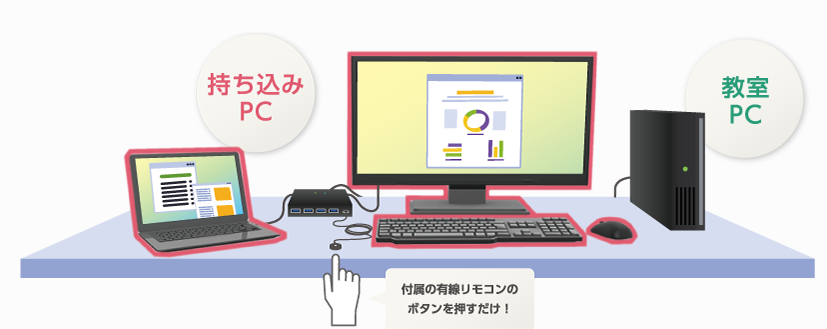
Docking stations from Co-Conv are installed, so you can use the display, mouse and keyboard in the classroom from your own laptop. The docking station can also charge your laptop. * Please read the notes at the end of this page.
Reference: https://www.co-conv.jp/product/docking-station/
How to use
Rooms with educational terminals
Co-Conv publishes the procedure on YouTube.
At this university, switch button 1 selects your own laptop and switch button 2 selects the educational terminal.
Rooms with a display only
Room C-202 in Building C has a display only. Connect a USB Type-C cable to use the display.
Notes
Depending on the specifications of your laptop, charging and display output may not work. Please check the specifications of your laptop in advance.
For the Type-C USB port on your laptop:
- If it is marked as supporting Power Delivery, charging is available.
- If it is marked as supporting DisplayPort, display output is available.
- If it is marked as data only, neither charging nor display output is available.